Utility App
BMI & Health Tracker
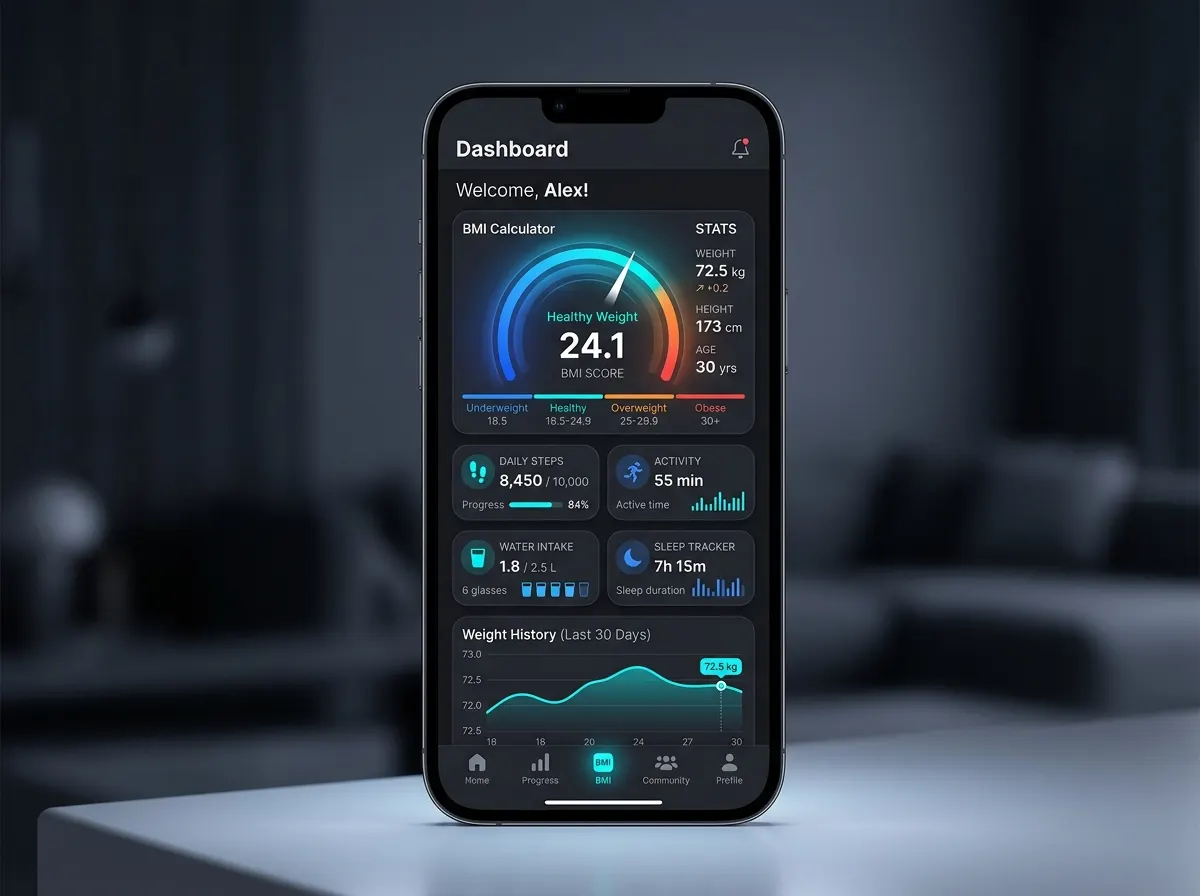
A guided five-step setup leads to a personal BMI dashboard with health tips for each category.
- Built with
- Flutter
- Dart
- CustomPainter
- SharedPreferences
- image_picker
- intl
- Platforms
- Android, iOS
- Year
- 2026
What it does
Five-step onboarding for gender, name, date of birth, height and weight, with custom scroll-wheel pickers.
An arc gauge with a colour-coded BMI category.
Health tips for the underweight, normal, overweight and obese ranges.
Profile photo from the camera or gallery, with all data saved on the device.
How it’s built
Five onboarding screens collect gender, name, date of birth, height and weight, one step at a time, with a shared step indicator widget. The answers build up a single profile, which is saved on the device with SharedPreferences together with an optional photo taken with the camera or picked from the gallery through image_picker.
Height and weight use a custom scroll-wheel picker built on ListWheelScrollView with FixedExtentScrollPhysics, which makes values snap into place. Height is entered in feet and inches and converted to centimetres, (feet × 12 + inches) × 2.54, before the BMI is calculated.
The result screen draws the BMI on a gauge made with CustomPainter: a background arc and a value arc covering BMI 10 to 40. The colour, the category and the health tips follow the standard BMI ranges: under 18.5, 18.5 to 25, 25 to 30, and 30 and above.
Hardest part
The scroll-wheel picker had to be one reusable widget for both height and weight. It wraps ListWheelScrollView.useDelegate with a fixed-extent controller that starts at the saved value, lays a highlight band over the selected row, and reports each change as the wheel settles on a new item.
The gauge painter maps the BMI onto the arc as (BMI − 10) ÷ 30, which fits the range from 10 to 40 into the sweep. The value arc takes the colour of the category, matching the number and the advice below it.